Best Desk Setup Upgrades Under $50 for Remote Workers in 2026
Working from home long enough teaches you that the small stuff matters. A $20 fix to a daily annoyance pays itself back inside a week. These are the under-$50 upgrades that earn permanent desk space, not the ones that end up in a drawer.
One thing worth saying up front. Under $50 doesnt mean compromise. There are legitimately useful desk products at this price that hold up for years. The key is knowing which ones are worth the money and which are just cheap plastic with good marketing photos.
What We Looked For
Remote work desk upgrades under $50 is its own special category. The bar is, does it actually make your 9 hour day measurably better? A lot of “desk upgrades” in this price range are gimmicks, RGB lighting, fake leather mousepads, plastic desk organizers that break in a month. We ignored all that.
Our filters. Has to solve a real pain point (neck strain, cable mess, eye fatigue, dead wrists). Under $50 at time of writing. And actually durable for daily use, not something you’ll replace in 6 months. We crossed off anything that looked like dorm room decor.
We assessed 20+ products on specs, price and owner feedback. These five earned their spots by being useful every single day, not just cool for a week.
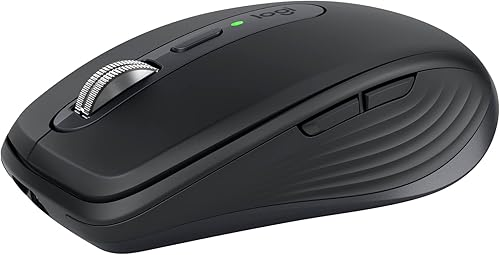
#1 Logitech MX Anywhere 3S
Best mouse you can get under $50, period
This thing pairs with three devices and switches with a button on the bottom. The scroll wheel free-spins for fast scrolling through long docs, then clicks back into ratchet mode. Battery lasts 70 days. Plenty of owners say that once they switch, they don’t go back to a regular mouse.
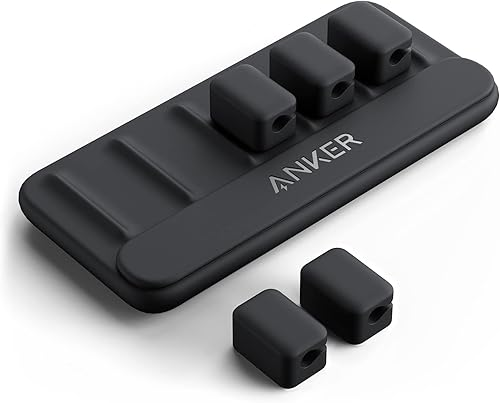
#2 Anker Cord Keeper
Solves the cable-falls-behind-the-desk problem forever
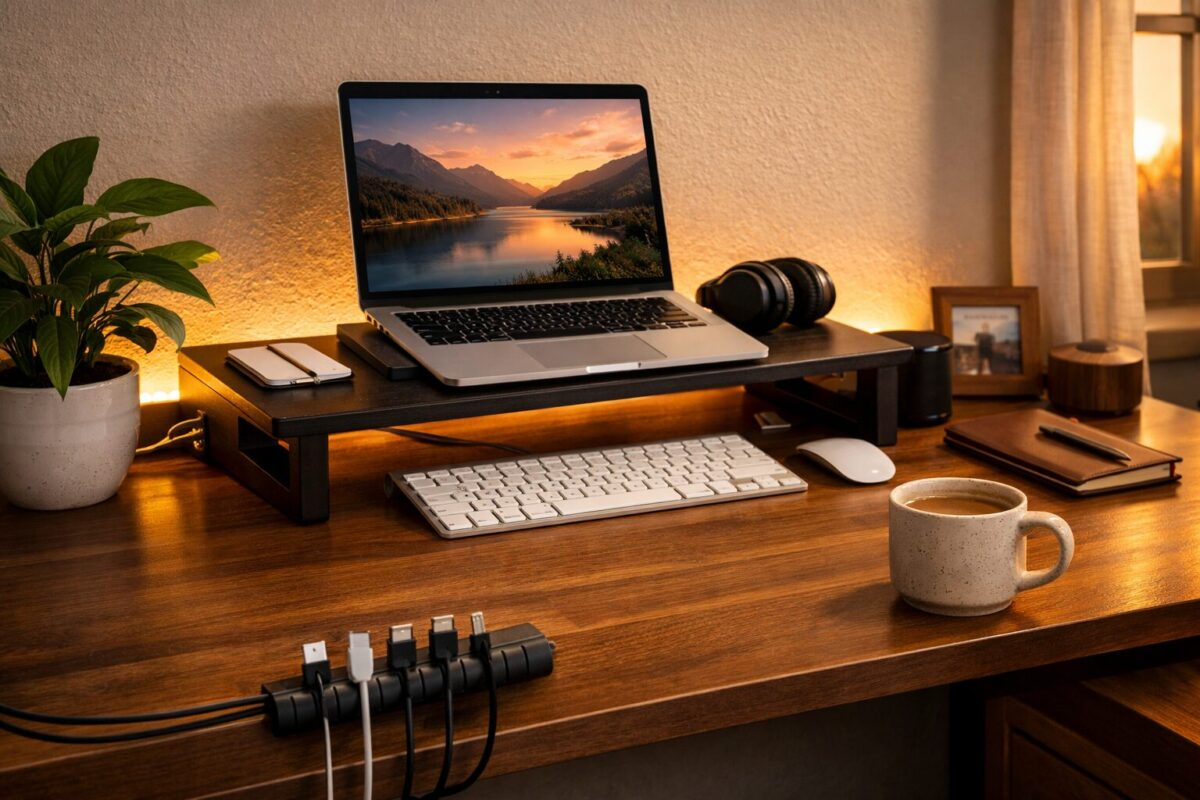
Sticky base on the underside of your desk, magnetic clips that catch your charging cables before they slide off. Sounds like nothing, then you use it for a week and realize how often you used to fish for cables. Eight bucks. Buy two.
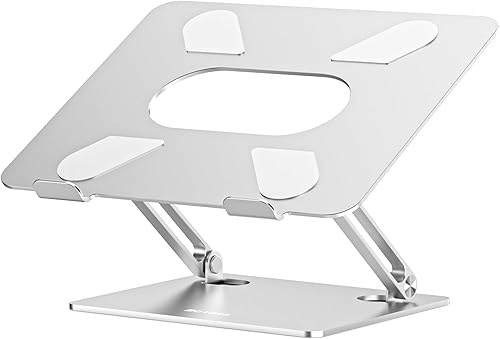
#3 Boyata Laptop Stand
Fixes neck pain in about three days
Solid aluminum and noticeably heavy for a stand. Lifts your screen to actual eye level which fixes the slouch you didnt know you were doing. The hinges hold position even with a heavier laptop, no slipping. Pairs with any external keyboard. Cheap version of the Roost stand at half the price.
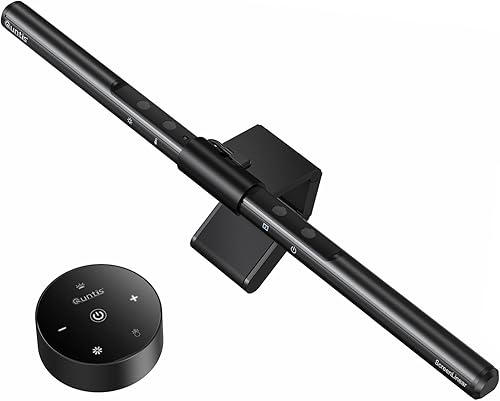
#4 Quntis LED Monitor Light Bar
Eyes stop hurting at 5pm
The BenQ ScreenBar costs $99. The Quntis is the same idea for $40 and honestly works fine. Clips over the top of your monitor and lights your desk without bouncing glare into your eyes. Adjustable color temperature so you can warm it up at night. If your room lighting is bad, this is the fix.
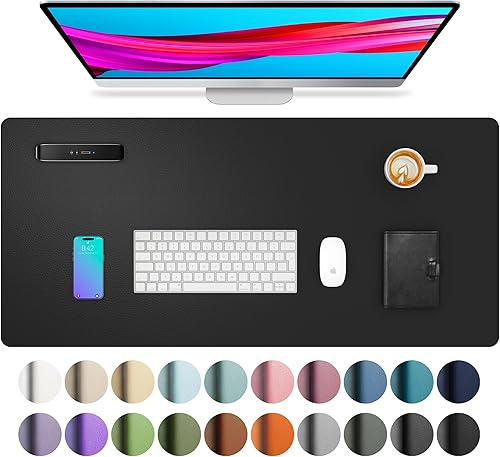
#5 JIALONG Extended Desk Mat
Makes any desk feel like a real workstation
Big rectangle of synthetic leather under your keyboard, mouse, and coffee. Stops scratches, dampens typing noise, makes your mouse glide nicely. Spills wipe off. Comes in a bunch of colors but the dark grey hides everything. Cheap upgrade that quietly improves the whole setup.
What Actually Works
If I had to pick just two from this list, the laptop stand and the cable holder. The laptop stand fixes posture which fixes neck pain which fixes everything else. The cable holder solves a daily annoyance you stopped noticing because youre used to it.
The mouse is a longer term play. If you can stretch the budget, get the MX Anywhere 3S over any of the cheaper Logitech options. Battery life and the multi-device switching are worth the extra $20.
The light bar is situational. If your room has good ambient light from a window or overhead fixture, you might not need it. If you work in a dim corner or evenings, its a real upgrade. Desk mat is just a quality of life thing, you wont regret $22 on it.
Which Upgrade to Buy First If You Can Only Pick One
If your budget is tighter than $50 total, pick the monitor light bar. It’s the single biggest quality of life upgrade on the list. Eye strain drops, headaches at the end of long days drop, and it looks better on video calls too. You won’t miss it at $30.
Second most useful, a monitor riser or proper stand that gets your screen to eye level. Cheapest way is a $15 bamboo riser. If your monitor isnt already on an arm, this is non negotiable for neck health.
Third, cable management. Not because the cables themselves hurt anything, but because a clean desk makes you sit down to work instead of avoiding it. Weirdly big psychological effect for a $10 fix.
Everything else on the list is a real upgrade but less urgent. Buy them over the next few months rather than all at once.
Common Mistakes Remote Workers Make With Desk Setups
Spending $50 on the wrong upgrade is easy. Here’s what we see people get wrong most.
Buying a cheap monitor arm before checking the VESA mount. Half the budget monitors dont have VESA holes at all, or the arm doesnt fit the depth. Check first.
Going for one big splashy item instead of three small useful ones. A $50 LED strip is fine, but a $15 monitor light bar, a $10 cable organizer, and a $20 wrist rest collectively change your day way more.
Ignoring ergonomics because it sounds boring. A $15 footrest stops that leg tingle by hour 6 better than any gadget on Amazon.
Buying into aesthetic over function. That matte black minimalist setup looks great on TikTok but if your monitor is too low you’re still going to have neck pain.
Frequently Asked Questions
Whats the single best upgrade under $20?
Do I need a vertical mouse for wrist pain?
Is the BenQ ScreenBar worth $99 over the Quntis?
Are these upgrades worth it if I only work from home part time?
Can I find any of these cheaper used?
What about Prime Day or Black Friday prices?
Are USB hubs safe?
Do monitor light bars work with curved monitors?
Can I combine these with a standing desk?
As an Amazon Associate we earn from qualifying purchases. Prices accurate at time of writing.