Best SwitchBot Devices in 2026
Heads up: this post contains affiliate links. We may earn a small commission if you buy through them, at no extra cost to you. We only recommend stuff we’d actually use ourselves.
SwitchBot has been quietly building one of the smartest, most affordable smart home ecosystems on Amazon. We’ve spent the last few months actually living with most of their lineup, and a few devices have earned a permanent spot in the house. A couple others, not so much.
Here’s what’s actually worth your money in 2026, ranked by how often we end up reaching for them.
The short version
- Best overall: SwitchBot Hub 2 – the brain that ties everything together
- Most useful daily: SwitchBot Curtain 3 – actually changes how you wake up
- Best value: SwitchBot Bot – the original “press any button” gadget for under $30
- Best lock: SwitchBot Lock Pro – smart lock without replacing your existing deadbolt
- Best new release: SwitchBot K10+ Pro Combo robot vacuum + mop
- Skip: The original Lock (get the Pro), and the Plug Mini if you already own Kasa or TP-Link plugs
SwitchBot Hub 2
Start here. The Hub 2 is a small touchscreen that sits on a counter or shelf and acts as the central command for every other SwitchBot device. It also doubles as a temperature and humidity sensor, which is handy if you’re the type who wants automations like “turn on the dehumidifier when bedroom hits 60% RH.”
What makes it actually useful: it bridges Bluetooth-only SwitchBot devices to your Wi-Fi, which means you can control them from anywhere. It’s also a Matter hub, so devices show up in Apple Home, Google Home, and Alexa without any weird workarounds.
One small annoyance: the touchscreen is bright at night and there’s no auto-dim built in. We ended up sticking it on a shelf out of the bedroom. Otherwise this thing just works.
SwitchBot Curtain 3
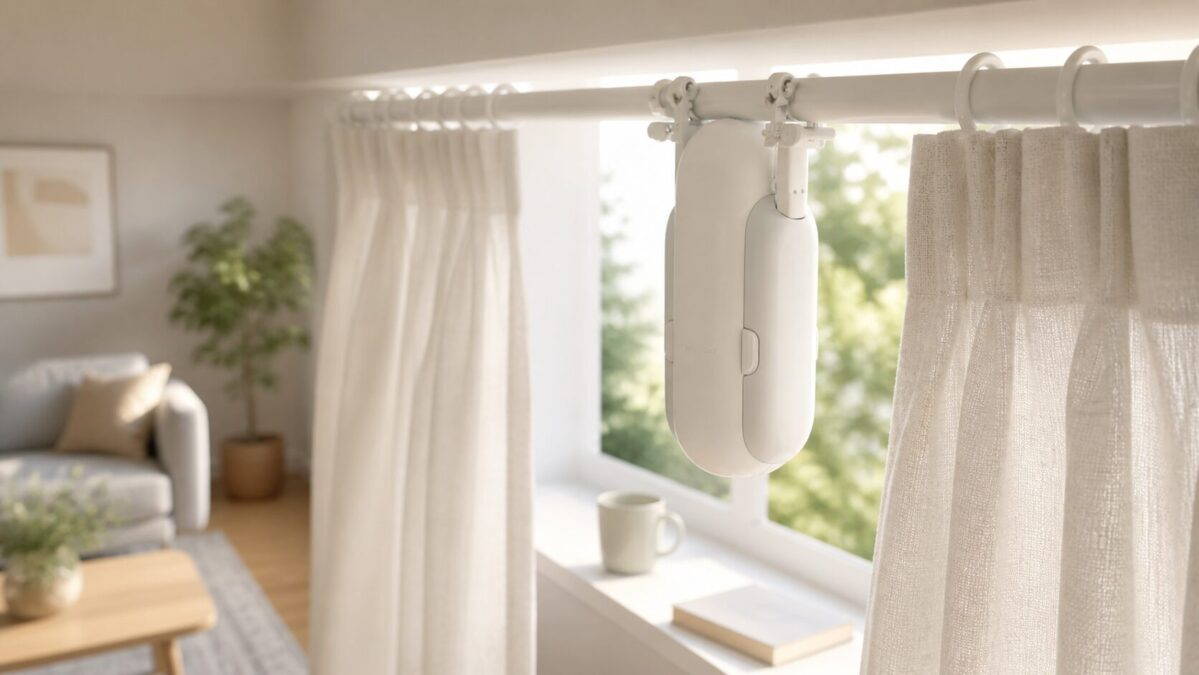
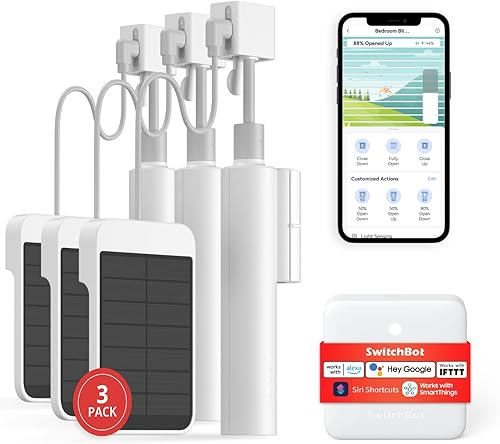
If you only buy one SwitchBot device, this is the one. The Curtain 3 clips onto your existing curtain rod and physically pulls your curtains open and closed on a schedule. It works with U-rails, I-rails, and most rod types – the box has a quick guide for figuring out which version you need before ordering.
A popular setup is having it slowly open the bedroom curtains 15 minutes before your alarm. Waking up to actual sunlight instead of a phone alarm has been a noticeable improvement, and not in a “wellness influencer” way. You just feel more awake faster.
Battery lasts about 8 months on a charge for us. The included solar panel can keep it topped up so you basically never plug it in if you mount it right. The motor is quiet enough that it doesnt wake a sleeping partner, which owners mention discovering by accident more than once.
SwitchBot Bot
The original SwitchBot. It’s a little robotic finger that sticks onto any surface and physically presses a button on command. Sounds dumb. Is actually brilliant for things you can’t easily replace with a “smart” version – garage door buttons, coffee makers, light switches in rentals where you can’t rewire anything.
A popular use is pushing the brew button on a coffee maker every morning so it’s ready when you walk into the kitchen. Cost about $30. Zero electrical work needed. It’s the kind of dumb-but-clever solution that makes the whole SwitchBot ecosystem work for renters.
Battery lasts around 600 days, which is wild for something this small. Just be aware: it’s pulling battery juice every time it activates, so heavy use can cut that in half.
SwitchBot Lock Pro
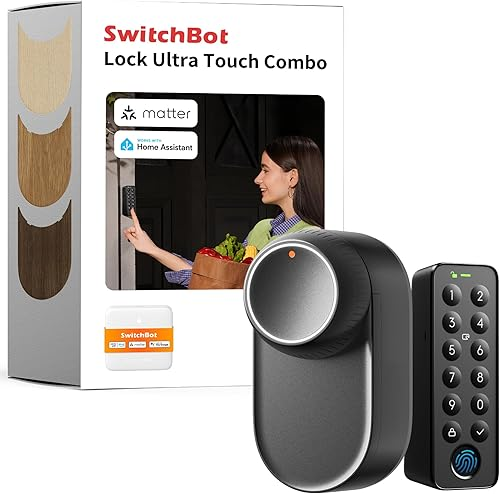
A smart lock that mounts over your existing deadbolt, no replacing the lock or rekeying. Just stick it on, calibrate, and you’ve got remote unlock, auto-lock, and a fingerprint keypad if you add one. The fingerprint reader is fast – faster than older August locks, according to owner reviews.
The Pro is the upgrade from the original Lock. The motor’s quieter, the battery lasts longer (8 months vs the original’s 4), and the auto-detect-deadbolt feature actually works on more lock types now. Worth the extra $30 over the older one.
One thing to know: the keypad sold separately is basically required to make this useful. Buying just the Lock Pro and using only the app gets old fast.
SwitchBot K10+ Pro Combo
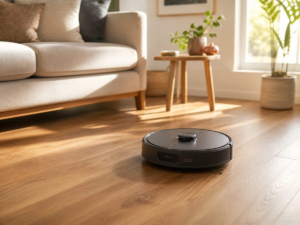
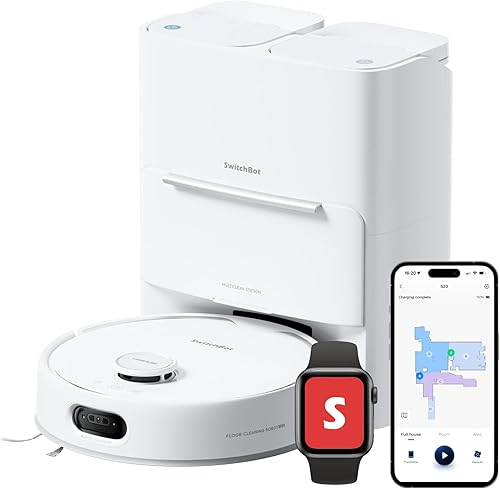
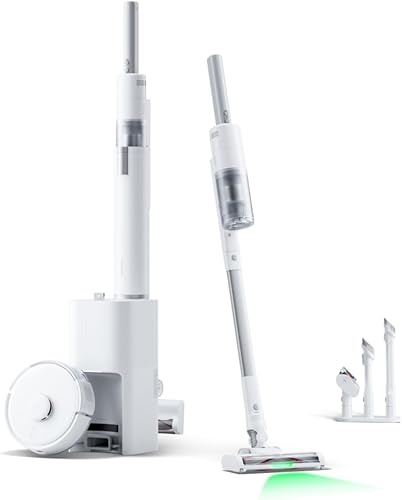
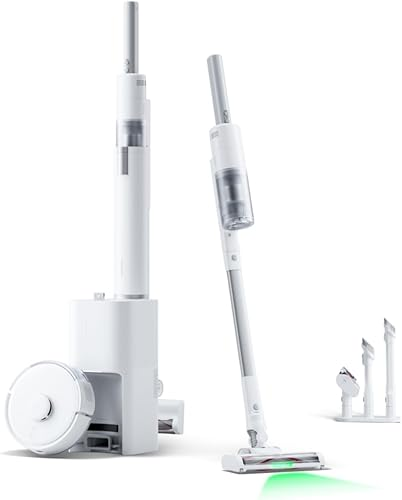
This is SwitchBot’s robot vacuum and mop combo. New for 2026 and probably the most polished one they’ve shipped. The mopping pad lifts when on carpet which we’d assumed all robot mops did, but it turns out a lot of competitors don’t bother and just drag wet mops across your rugs. So that’s an actual win.
The dock self-empties, washes the mop pad, and refills the water tank. That’s the same trio every premium robot vacuum offers now, but the K10+ Pro hits closer to $400 than the $1000+ Roborock and Roomba flagships. For most apartments and small homes this is plenty.
The mapping is decent but not as smart as a Roborock S8. If you have a complicated multi-floor home, look elsewhere. If you’ve got a 1 to 2 bedroom space and you want set-and-forget cleaning, this is it.
SwitchBot Indoor Cam
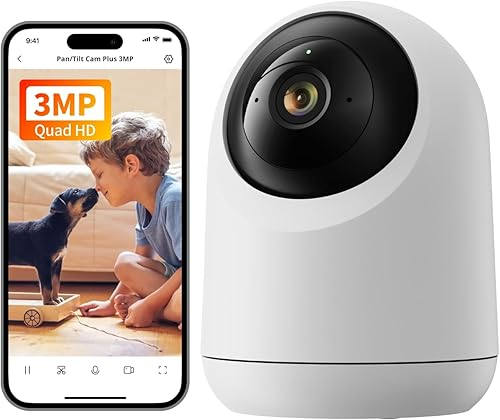
Cheap. Works. Good enough for keeping an eye on a pet or a delivery drop spot. 1080p video, two-way audio, motion alerts. Local SD storage so you’re not paying a subscription for basic clips.
Picture quality is fine but not great. Night vision is the standard infrared washout. If you want a serious indoor cam, get a Wyze or a Nest. But for $30, this does the job.
What we’d skip
The original SwitchBot Lock. The Pro is too much better for the small price difference. No reason to buy the older one in 2026.
SwitchBot Plug Mini. Fine plug. Nothing special. If you already own Kasa or TP-Link smart plugs they integrate just as well with everything and cost the same. Save your money for the devices that are actually unique to SwitchBot.
SwitchBot Outdoor Cam. The current version isn’t waterproof enough for direct rain. Marketed as outdoor, behaves like indoor-with-extra-tolerance. Get an Arlo or Eufy if you need real outdoor coverage.
How to pick your starter set
If you’re starting fresh, here’s the order we’d buy them in:
- Hub 2 (you need this to make most other devices work over Wi-Fi)
- Curtain 3 (this is the one you’ll actually love)
- Bot (cheap, instantly useful for whatever button you wish was smart)
- Lock Pro + Keypad (only if you actually need a smart lock)
- Vacuum or Cam (lowest priority, get last)
Total damage for the first three: around $200. Honestly that’s a really reasonable entry point into a smart home that doesn’t lock you into a single ecosystem, since the Hub 2 plays nice with Apple Home, Google, and Alexa.
Where to buy
Amazon usually has the best prices and ships fast, especially during their occasional 20% off sales (Prime Day, Black Friday, and weirdly often in March). We’ve also seen SwitchBot’s own site offer bundle deals that beat Amazon, so it’s worth checking both before buying.
One last note: the Curtain 3 has three different rod-mount versions. Measure your curtain rod diameter before ordering or you’ll be returning it. Ask us how we know.
As an Amazon Associate, we earn from qualifying purchases. Some links go to other affiliate networks.
You might also like:
- ROVE R2-4K Dual Dash Cam Review: The Plate Test, Day and Night
- Sonos Beam Alternatives in 2026: 5 Soundbars That Cost Less
- Best Desk Gadgets Under $50 in 2026: 5 Upgrades That Earn Their Spot