SwitchBot Lock Pro Review: Smart Deadbolt That Fits Over Your Existing Lock
Why This Lock Is Worth a Look
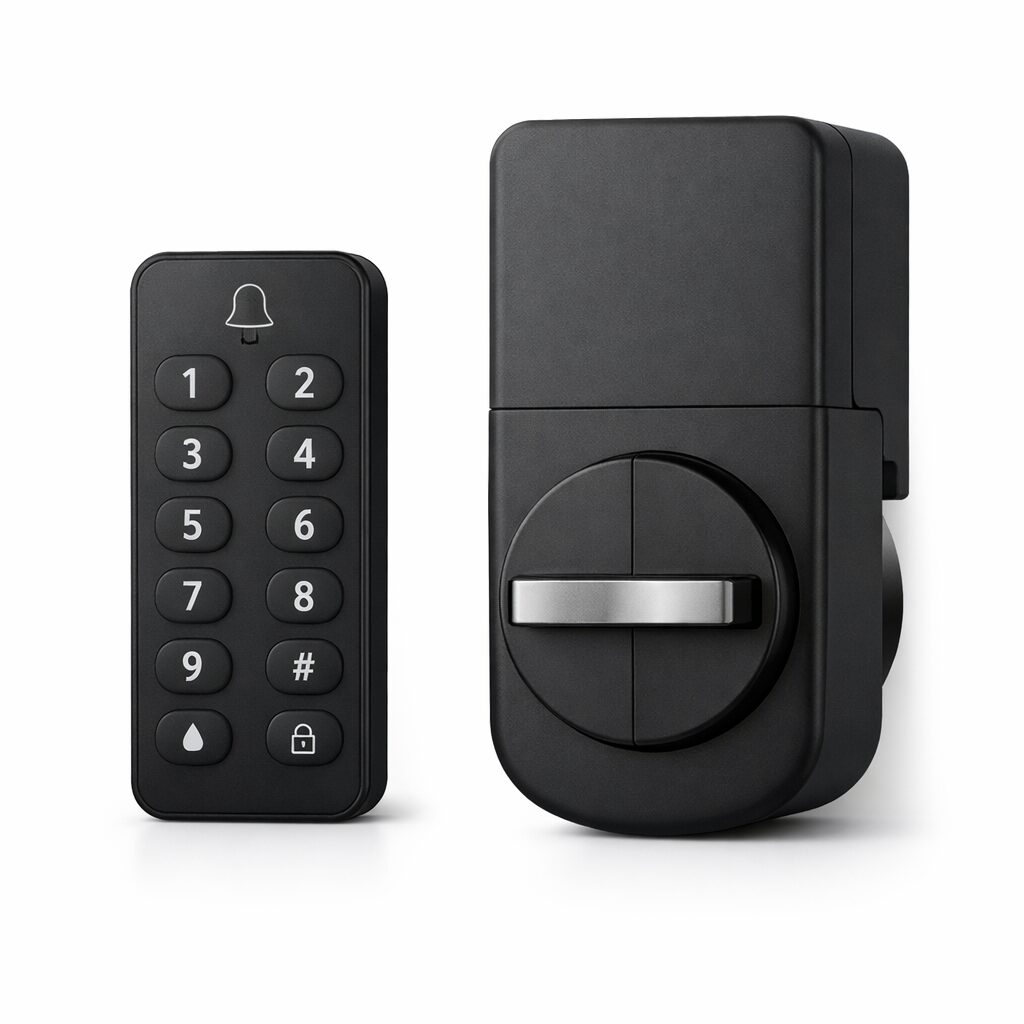
Most smart locks want you to rip out your entire deadbolt and start from scratch. The SwitchBot Lock Pro takes a different approach — it attaches to your existing deadbolt from the inside, so you keep your current keys as a backup while adding all the smart features on top.
Installation took about 15 minutes with a screwdriver and the adhesive mount. No drilling, no calling a locksmith, no warranty-voiding modifications to your door. The included 3M adhesive holds firm according to owner reviews, though SwitchBot also includes a screw mount if you want something more permanent.
The real selling point is how well it fits into the SwitchBot ecosystem. If you already have a Hub 2 or other SwitchBot devices, the Lock Pro connects seamlessly and opens up automation possibilities — like auto-locking when you leave or unlocking when your SwitchBot motion sensor detects you at the door.
Multiple Ways to Get In
The optional keypad (sold separately or in a bundle) gives you a physical number pad outside your door. Punch in your code, and the lock turns. It sounds basic, but it’s surprisingly satisfying not to dig for keys or fumble with a phone when your hands are full of groceries.
App control through the SwitchBot app works well within Bluetooth range, and if you have a SwitchBot Hub, you get remote access from anywhere. Owners who unlock remotely for package drops report a quick response, usually under 3 seconds from tap to unlock confirmation.
NFC cards are included too, which is nice for kids or guests who don’t need app access. Tap the card to the keypad, and you’re in. You can manage up to 100 different access methods per lock.
Build Quality and Daily Use
The lock mechanism itself feels solid — there’s a satisfying mechanical click when it engages, and the motor is strong enough to turn even slightly sticky deadbolts without straining. Owner reviews months in rarely mention the mechanism wearing.
Auto-lock can be set on a timer (anywhere from 5 seconds to 60 minutes), which is genuinely useful if you’re the type who constantly second-guesses whether you locked the door. The app also keeps a complete log of every lock and unlock event, timestamped and tagged by method.
What Could Be Better
Battery life is rated at 9 months, but with the keypad connected and frequent daily use, expect closer to 5-6 months. The lock takes 4 AA batteries, which is easy enough to swap, but the keypad runs on CR123A batteries that are less common and more expensive.
Bluetooth range is limited to about 15 feet without a hub. If you want remote access, you’ll need a SwitchBot Hub (Mini or Hub 2), which adds $30-50 to the total cost. Without it, the lock only works when you’re standing near the door.
The keypad buttons are a bit small and don’t light up as brightly as some competitors. In pitch darkness, you’ll probably need to use your phone flashlight the first few times until muscle memory kicks in.
Specs at a Glance
| Connectivity | Bluetooth 5.0 (WiFi via Hub) |
| Battery | 4x AA (lock), 2x CR123A (keypad) |
| Battery Life | Up to 9 months (lock) |
| Access Methods | App, keypad, NFC card, key (backup) |
| Compatibility | Alexa, Google Home, SmartThings, IFTTT |
| Installation | Adhesive or screw mount, no drilling |
| Max Users | 100 access credentials |
Who Should Get This
The Lock Pro makes the most sense for renters or anyone who doesn’t want to replace their existing deadbolt. If your landlord won’t let you swap hardware, this gives you smart lock features without permanent changes — just peel off the adhesive when you move.
It’s also a strong pick for anyone already in the SwitchBot ecosystem. The integrations with other SwitchBot devices make the Lock Pro significantly more capable than using it standalone, especially for home automation routines.
We may earn a commission if you buy through our links — it doesn’t cost you anything extra.
You Might Also Like
Building a smart home? See our SwitchBot Hub 2 review for the control center, or check out the JBL Clip 5 review for a great portable speaker.
You might also like:
- Best Gadgets for Dog Owners in 2026: 5 That Earn Their Keep
- Is the Kindle Scribe Worth It? Honest 2026 Review
- Bose QuietComfort Alternatives in 2026: 5 Headphones That Cost Less