Aqara Smart Hub M200 Review: Matter, Thread, and Zigbee in One Tiny Box
Key Features
Matter Controller
Works as a full Matter controller out of the box. Connects to Apple Home, Google Home, Amazon Alexa, and Samsung SmartThings without extra bridges.
Thread Border Router
Acts as a Thread border router so your Thread devices (like Eve sensors) have a reliable mesh network without needing a separate router.
Zigbee 3.0 Built In
Supports Aqara’s full lineup of Zigbee sensors, switches, and accessories. Over 100 compatible devices in their ecosystem.
PoE or USB-C Power
Run it over Power over Ethernet for a clean single cable setup, or use the included USB-C adapter. Your choice depending on your network setup.
Our Experience
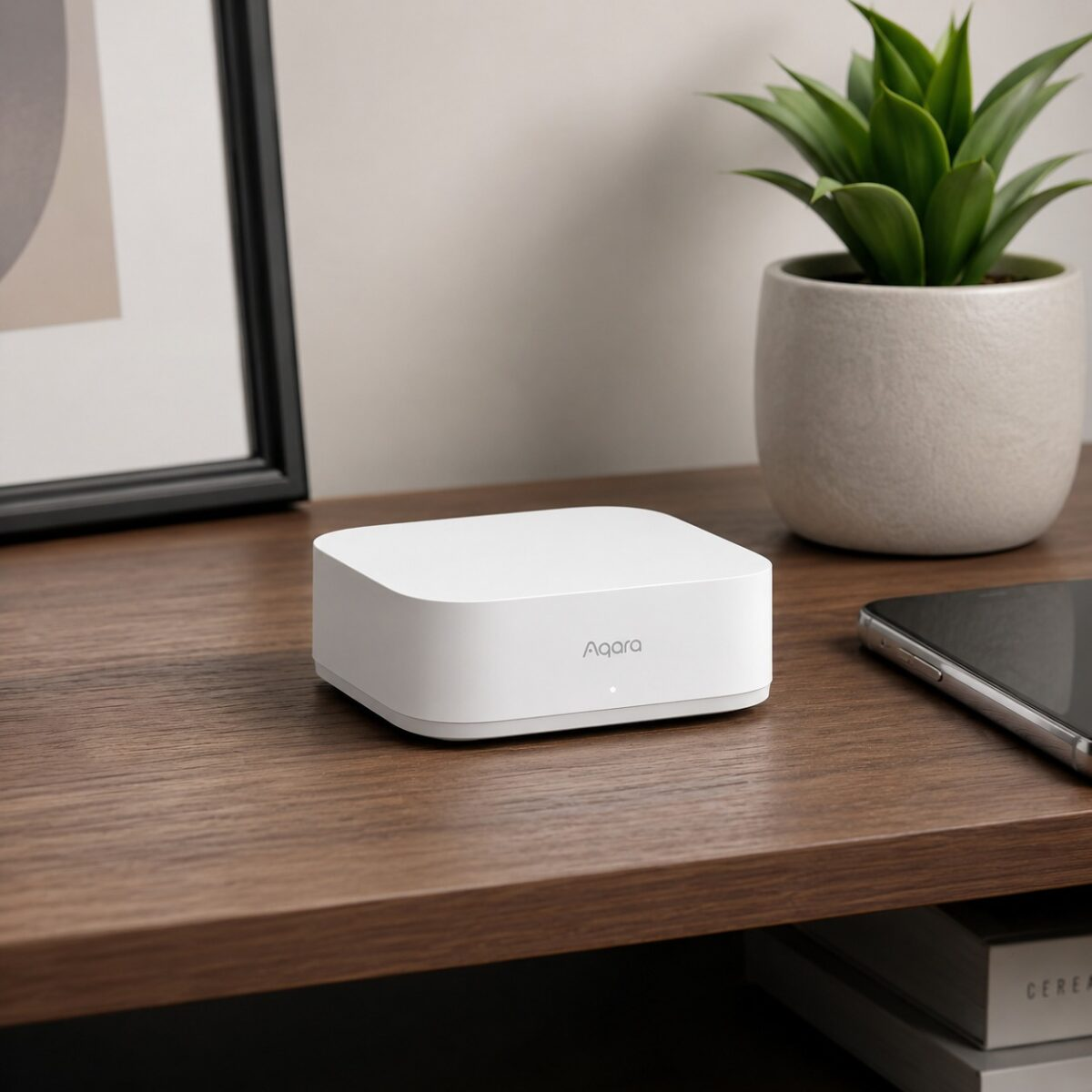
The M200 is smaller than you’d expect. About the size of a coaster, maybe slightly thicker. We plugged it in via USB-C (our switch doesnt support PoE) and the Aqara Home app picked it up in under a minute. From there it asked which ecosystems to connect. We linked it to Apple Home and Google Home, both worked on the first try.
The real selling point is consolidation. Before this, we had a separate Zigbee coordinator, a Thread border router (the old HomePod Mini), and a standalone Matter bridge. The M200 replaces all three. Thats fewer devices eating wall outlets, fewer things to troubleshoot when automations break, and one app to manage the backbone of the smart home.
Zigbee range was solid. We tested it across two floors with about 30 feet of separation and it held connection to every sensor without drops. Thread devices connected quick too, our Eve door sensors showed up in Apple Home within seconds of pairing. One thing worth mentioning is that the Aqara app has gotten way better than it was a year ago. Automations are faster to set up now and the UI doesnt feel as cluttered as it used to.
Pros & Cons
What We Liked
- Combines Matter controller, Thread border router, and Zigbee hub in one device
- PoE option means zero wall adapters if your network supports it
- Compatible with Apple Home, Google Home, Alexa, and SmartThings
- Tiny footprint, easy to tuck behind furniture or mount on a wall
Worth Knowing
- Aqara app required for initial setup, cant skip it and go straight to Apple/Google
- No Z-Wave support, so Z-Wave devices still need their own hub
- Some advanced automations require the Aqara app rather than Apple/Google
Quick Specs at a Glance
| Brand | Aqara |
| Model | Smart Hub M200 |
| Protocols | Matter, Thread, Zigbee 3.0, Bluetooth 5.2, WiFi |
| Power | PoE (802.3af) or USB-C |
| Dimensions | 2.8 x 2.8 x 1.1 inches |
| Compatible Ecosystems | Apple Home, Google Home, Alexa, SmartThings |
| Max Devices | 128 Zigbee child devices |
| Amazon Rating | 4.3 / 5 (485+ reviews) |
Frequently Asked Questions
Does the M200 work without internet?
Can I use non-Aqara Zigbee devices with it?
Do I still need my old smart home hub?
Is PoE worth it for a smart home hub?
Final Verdict
The Aqara Smart Hub M200 is the best “one hub to rule them all” option we’ve tried at this price. It handles Matter, Thread border routing, and Zigbee 3.0 from a single device thats smaller than a drink coaster. At $70 its a solid deal considering you’d normally need two or three separate devices to cover all those protocols. The main gap is Z-Wave, so if your house is full of Z-Wave switches, this wont fully replace your existing setup. But for anyone building a new smart home or consolidating an Aqara heavy ecosystem, the M200 makes life simpler.
Check Price on AmazonYou might also like:
- SwitchBot Curtain 3 Review: A Quieter, Stronger Smart Curtain Motor
- Top 10 Cool Finds Under $25
- Best Kitchen Gadgets 2026 (Stuff That Earns Drawer Space)