Is the Kindle Scribe Worth It? Honest 2026 Review
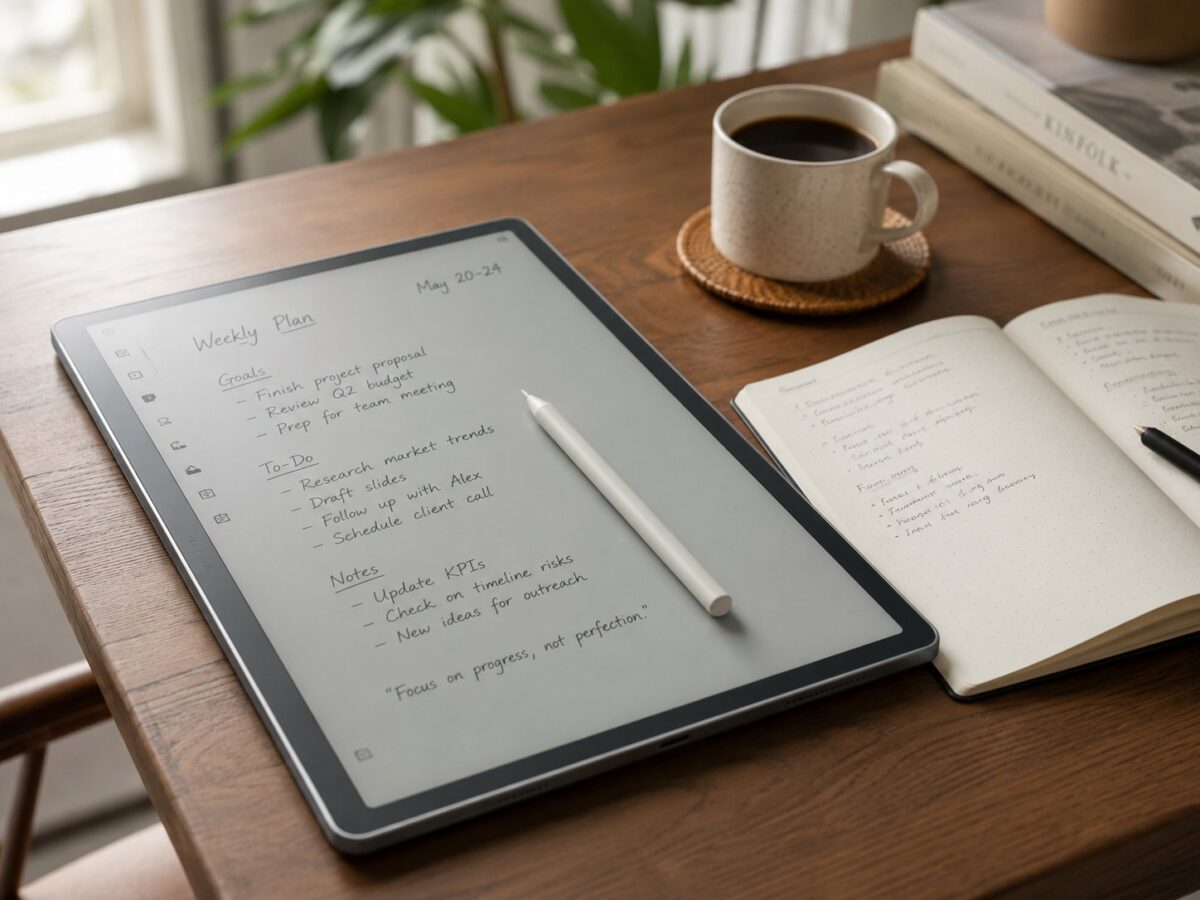
$490 is iPad money. Thats the whole tension with the Kindle Scribe, and anyone telling you otherwise is dodging the question. So instead of walking through the spec sheet like a press release, this review starts from the skeptics seat: what do you actually get for half a grand of e-ink, and who genuinely comes out ahead buying one in 2026?
Key Features
11 Inch Paper Style Display
Front lit e-ink thats easy on the eyes for hours, with enough room for full page PDFs and margin notes.
Pen Included, Never Charges
The pen ships in the box, snaps on magnetically and has no battery to babysit. Writing feel is close to paper.
Weeks of Battery
Measured in weeks, not hours. The thing an iPad will never do.
AI Notebook Summaries
Built in summarization turns pages of scrawled meeting notes into a clean recap you can search later.
Pros & Cons
What We Liked
- Pen feels close to paper and never needs charging
- Battery life measured in weeks
- 11 inch screen fits full page PDFs without squinting
- AI summaries actually save time on messy notes
- Reading and note taking in one device means one less thing in the bag
Worth Knowing
- $490 is firmly in iPad territory
- No color on this model, the Colorsoft version costs even more
- Kindle ecosystem lock in, notes and books live on Amazon’s terms
- Dense technical PDFs still need pinching and panning
Quick Specs at a Glance
| Brand | Amazon |
| Model | Kindle Scribe 32GB (newest model) |
| Display | 11 inch front lit, paper style e-ink |
| Storage | 32GB (64GB and Colorsoft versions available) |
| Pen | Included, magnetic, no charging required |
| Battery | Weeks per charge, USB-C |
| Price | $489.99 |
| Amazon Rating | 4.4 / 5 (251 ratings) |
Frequently Asked Questions
Is the Kindle Scribe better than a reMarkable for note taking?
Can I read library books and my own files on it?
Should I wait for a sale?
Does the 32GB fill up?
The 30-Second Rundown
Final Verdict
The Scribe earns its price for one specific person: the heavy reader who also burns through paper notebooks and wants both habits on a single charge that lasts weeks. The 11 inch screen, the included pen and the surprisingly useful AI summaries make it the most complete e-ink notebook you can buy. But if your reading is mostly novels, a Paperwhite gets you 90 percent of the experience for a third of the cash, and app people will be happier with an iPad. Know which one you are before spending the $490.
Check Price on AmazonYou might also like:
- Kindle Paperwhite Alternatives in 2026: 5 E-Readers Worth Switching To
- Is the Apple AirTag Worth It? Honest 2026 Review
- Is the Sonos Beam Worth It? Honest 2026 Review