Mobile Pixels Trio 3 Pro Review: Triple-Screen Laptop Setup That Actually Works
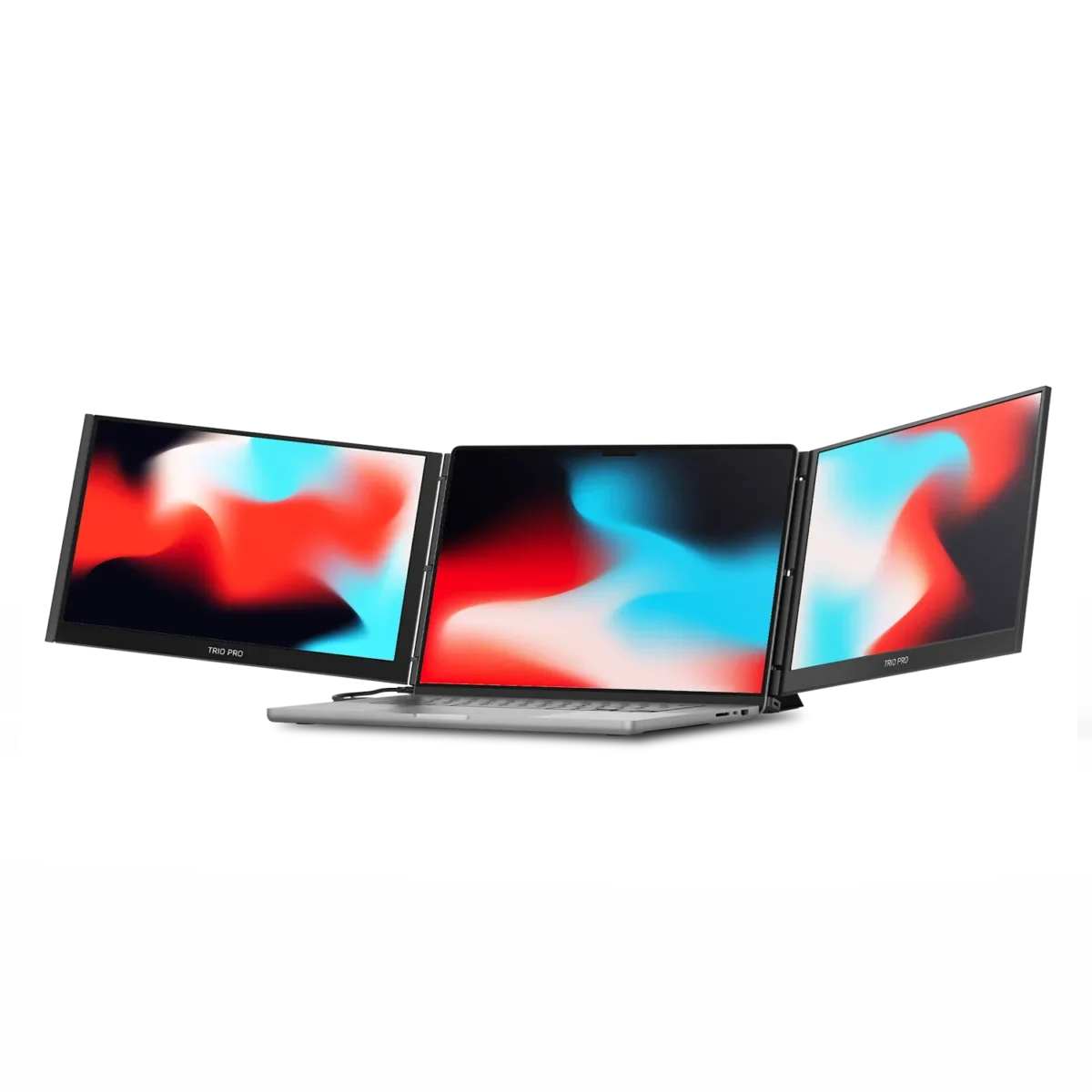
Key Features
Dual 14″ 1080p IPS Displays
Two full HD screens slide out from behind your laptop lid. Sharp enough for spreadsheets, Slack, and browser tabs, even usable outdoors in bright conditions.
USB-C and HDMI
Single USB-C cable handles video and power on modern laptops. HDMI fallback for older machines. Plug-and-play drivers on Mac, Windows, and most Chromebooks.
Portable at 3.3 lbs
Both screens together weigh about 3.3 pounds. Noticeable in a backpack but manageable for daily carry. Magnetic attachment holds firm with zero wobble during typing.
Under 60 Seconds Setup
Slide the screens out, plug in the cables, and you have a triple-monitor setup anywhere. No external dock, no power brick, no driver installs required.
Pros & Cons
What We Liked
- Triple-monitor setup anywhere with no dock or power brick
- Magnetic attachment is rock solid, zero wobble during typing
- Setup takes under a minute, drivers are plug-and-play
- Works with Mac, Windows, and Chromebooks via USB-C or HDMI
- Productivity boost is immediate and dramatic
Worth Knowing
- At ~$500, this is a serious investment, not an impulse buy
- 3.3 lbs adds noticeable weight to your daily carry
- 60Hz panels are not suited for gaming
Full Specifications
| Screen Size | 2x 14 inches |
| Resolution | 1920 x 1080 (Full HD) |
| Panel Type | IPS |
| Refresh Rate | 60Hz |
| Connectivity | USB-C, HDMI |
| Compatibility | Mac, Windows, Chromebook |
| Weight | 3.3 lbs (both screens) |
| Mount Type | Magnetic attachment to laptop lid |
| Price | ~$499.99 |
Frequently Asked Questions
Does it work with MacBooks?
Will it drain my laptop battery faster?
Can I use just one screen instead of both?
Is it stable enough to type without the screens wobbling?
Final Verdict
The Trio 3 Pro solves a real problem for laptop-bound workers. Two extra screens that attach directly to your laptop, no desk required. Build quality is solid, setup takes under a minute, and the productivity boost is immediate. At around $500, it is not impulse-buy territory, but it pays for itself fast if you are serious about mobile productivity.
Check Price on AmazonYou might also like:
- 5 Best Tech Gadgets Worth Your Money Right Now (2026)
- TP-Link Archer BE900 Review: WiFi 7 for the Whole House
- SwitchBot Hub 2 Review: One Hub to Control Your Whole Smart Home