Every Type of Smart Home Device Explained: Costs, Setup, and What Actually Works
Smart home tech sounds cool in theory. In practice, most people buy one gadget, spend 45 minutes setting it up, and then forget about it. The problem isn’t the technology, it’s that nobody explains how the pieces actually fit together.
This guide breaks down every category of smart home device, explains what each one actually does (and doesn’t do), gives you realistic cost estimates, and tells you which combinations make sense together. No brand loyalty here. Just what works.
The 7 Categories of Smart Home Devices
| Category | What It Does | Starting Cost | Setup Difficulty |
| Smart Speakers | Voice control, music, timers, smart home hub | $25 – $50 | Easy (plug in and connect WiFi) |
| Smart Lighting | Voice/app-controlled lights, scenes, schedules | $15 per bulb | Easy (screw in and pair) |
| Smart Locks | Phone unlock, auto-lock, guest sharing | $100 – $250 | Moderate (replace deadbolt hardware) |
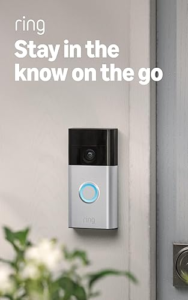
| Video Doorbells | See visitors, two-way talk, motion alerts | $60 – $200 | Easy to moderate |
| Smart Hubs | Connect devices across brands, automations | $35 – $70 | Moderate (protocol setup) |
| Smart Thermostats | Auto-adjust heating/cooling, save energy | $80 – $250 | Moderate (requires some wiring) |
| Smart Blinds/Curtains | Automated window coverings, light sensors | $70 – $300 | Easy (clip-on) to hard (full replacement) |
Smart Speakers: Your Starting Point
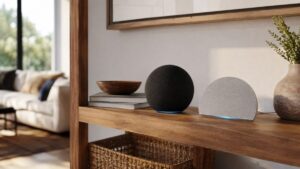
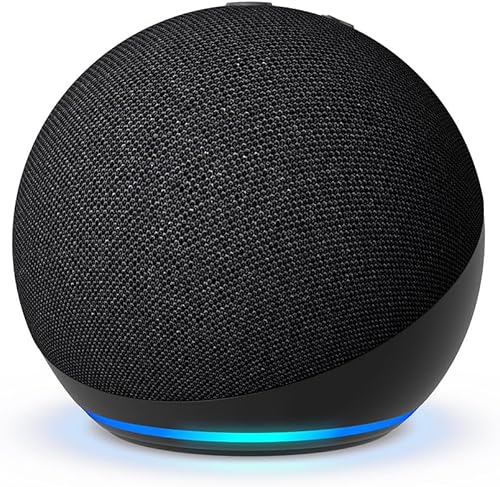
A smart speaker is the command center of any smart home. It’s the thing you talk to when you want lights off, music on, or a pizza timer started. The two big ecosystems are Amazon Alexa and Google Assistant.
Amazon Alexa (Echo devices) has more compatible smart home devices. If your priority is controlling lots of gadgets with your voice, Alexa wins on sheer compatibility. The Echo Dot is the best entry point, it costs $25-50 and does 95% of what the full-size Echo does.
Google Assistant (Nest devices) is better at answering questions and integrating with Google services (Calendar, Maps, Gmail). If you’re deep in the Google ecosystem, it feels more natural.
Apple HomePod sounds the best of the three but has the smallest smart home ecosystem. Only worth it if everything you own already runs through Apple HomeKit.
Our pick for most people: Amazon Echo Dot. Wider compatibility, lower price, and the Alexa skills library is massive. Read our full Echo Dot review here.
Smart Lighting: The Quickest Win
Smart bulbs are the easiest way to make your home feel automated. Screw one in, connect it to WiFi, and suddenly you can turn lights off from bed, set them to dim at 9 PM, or change colors to match a movie.
WiFi bulbs (like Wyze, LIFX) connect directly to your router. No hub needed. Simple, but they can clog your WiFi if you add a lot of them.
Zigbee/Z-Wave bulbs (like Philips Hue) use a separate hub to communicate, which keeps your WiFi clean. Better for larger setups (10+ bulbs). The hub costs $40-60 extra.
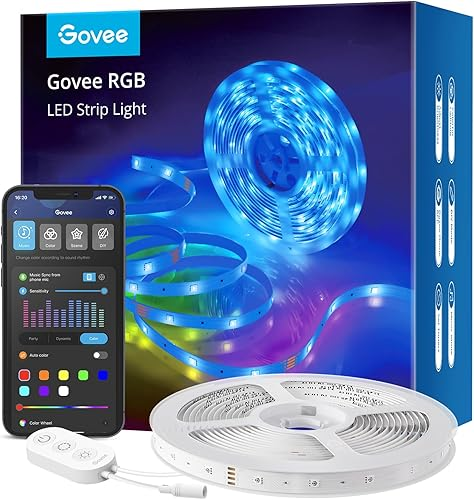
Smart light strips and bars are for ambient lighting, behind TVs, under cabinets, or along shelves. They’re cheap ($15-40) and create a dramatic effect for the price. We covered the Govee Light Bars here.
Realistic cost for a 2-bedroom setup: $60-150 for 4-8 smart bulbs plus 1-2 light strips. No hub needed if you go WiFi.
Smart Locks: Who Should (and Shouldn’t) Get One
A smart lock lets you get more from your door with your phone, set auto-lock timers, and share temporary access codes with guests or delivery people. Sounds great. But there are catches.
Who should get one: Anyone who regularly forgets keys, has frequent guests, rents out on Airbnb, or just wants the convenience of phone unlock. Auto-lock alone justifies the price if you’re the type who constantly wonders “did I lock the door?”
Who should skip it: If your front door setup is unusual (non-standard deadbolt, very old hardware), installation can be a headache. Also, if you’re renting and your landlord won’t let you swap hardware, look at retrofit options like the Level Lock Pro that keep your exterior hardware untouched. Our Level Lock Pro review breaks this down.
Battery life reality check: Most smart locks last 4-12 months on batteries. The annoying part is when they die at a bad time. Keep spare batteries near the door.
Video Doorbells: What the Subscription Costs Actually Look Like
Every video doorbell company wants you on a subscription. Here’s what they don’t make obvious upfront:
| Brand | Monthly Cost | What You Get | What’s Free |
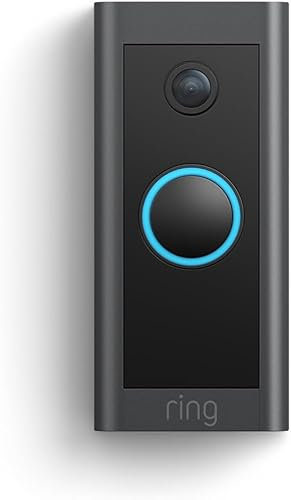
| Ring | $3.99 (1 cam) / $12.99 (all) | 60-day video history, person detection | Live view, motion alerts |
| Google Nest | $8 (1 cam) / $15 (all) | 30-day history, familiar faces | 3-hour event history |
| Eufy | $0 (local storage) | N/A, stores on device | Everything (no cloud required) |
| Arlo | $7.99 (1 cam) / $17.99 (all) | 30-day history, AI detection | Live view only |
The budget play is Eufy, no subscription, local storage. The convenience play is Ring, cheap subscription, tight Alexa integration. See our Ring Battery Doorbell review.
Smart Hubs: When You Actually Need One
You don’t need a hub if you have 1-3 smart devices that all use WiFi. But once you cross the 5-device mark, a hub starts making sense for three reasons:
1. Unified control. Instead of the Ring app for your doorbell, the Level app for your lock, and the Govee app for your lights, one app (or voice command) handles everything.
2. Automations. “When I leave the house, lock the door, turn off all lights, and lower the thermostat”, hubs make this a single trigger instead of three manual steps.
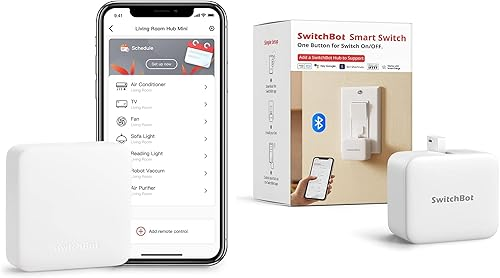
3. IR blasting. Some hubs (like the SwitchBot Hub 2) can control old devices that use infrared remotes, your existing TV, AC unit, or fan become “smart” without replacing them.
Our recommendation: The SwitchBot Hub 2 at $50-70 is the best value because of the IR blaster, Matter support, and built-in sensors. Full review here.
Smart Curtains and Blinds: The Underrated Upgrade
This one flies under the radar. Automated curtains sound like a luxury, but they solve a real problem: waking up to natural light without leaving your curtains open all night. A light sensor opens them at sunrise and closes them at sunset. Set it once and forget it.
The cheapest route is a clip-on curtain motor like the SwitchBot Curtain 3 ($70-90) that attaches to your existing rod. No replacing hardware, no drilling. We reviewed it here.
Full motorized blinds (like IKEA FYRTUR) cost $130-200 per window and replace your existing blinds entirely. Cleaner look, higher price.
The Real Cost of a Full Smart Home Setup
Here’s what a practical smart home costs for a typical 2-bedroom apartment or small house, broken into tiers:
| Tier | What You Get | Estimated Cost |
| Starter ($75-150) | 1 smart speaker + 4 smart bulbs | Voice-controlled lights and music |
| Practical ($250-400) | Starter + smart lock + video doorbell | Security and convenience layer |
| Connected ($400-700) | Practical + hub + smart curtains + light strips | Full automation with routines |
| All-In ($700-1200) | Connected + smart thermostat + more cameras + sensors | Whole-home automation and energy savings |
Most people should start at the Starter tier and add one device every month or two. Buying everything at once leads to setup fatigue and half your gadgets sitting unused.
Common Smart Home Mistakes (And How to Avoid Them)
Buying devices from too many ecosystems. If your speaker is Alexa, your lock is HomeKit-only, and your thermostat is Google-only, nothing talks to each other. Pick one ecosystem (Alexa or Google) and buy compatible devices.
Ignoring your WiFi situation. Smart devices are only as reliable as your WiFi. If your router struggles to cover your whole home, fix that first, a mesh WiFi system ($100-200) before you pile on more connected devices.
Overcomplicating automations. Start with 2-3 simple routines (goodnight, good morning, away mode) before building elaborate chains. Complex automations break more often and are harder to debug.
Forgetting about battery life. Smart locks, sensors, and wireless cameras all need batteries. Create a recurring reminder every 6 months to check and replace them. Dead batteries at the wrong time are worse than no smart device at all.
Skipping the return window test. Buy one device at a time and use it for a week before committing. Return policies from Amazon and Best Buy give you 15-30 days. If it annoys you during that window, send it back.
Keep Exploring
We review new smart home products regularly. Check out our smart home gadgets hub page for every product we cover, organized by category.
Our Top Picks
You might also like:
- Best Gadgets for Dog Owners in 2026: 5 That Earn Their Keep
- 5 Cooling Gadgets That Actually Work for Summer 2026
- Amazfit Up Open-Ear Earbuds Review: Workout Audio That Leaves Your Ears Open