SwitchBot Lock Pro Review: A Smart Lock That Works With What You Already Have
Key Features
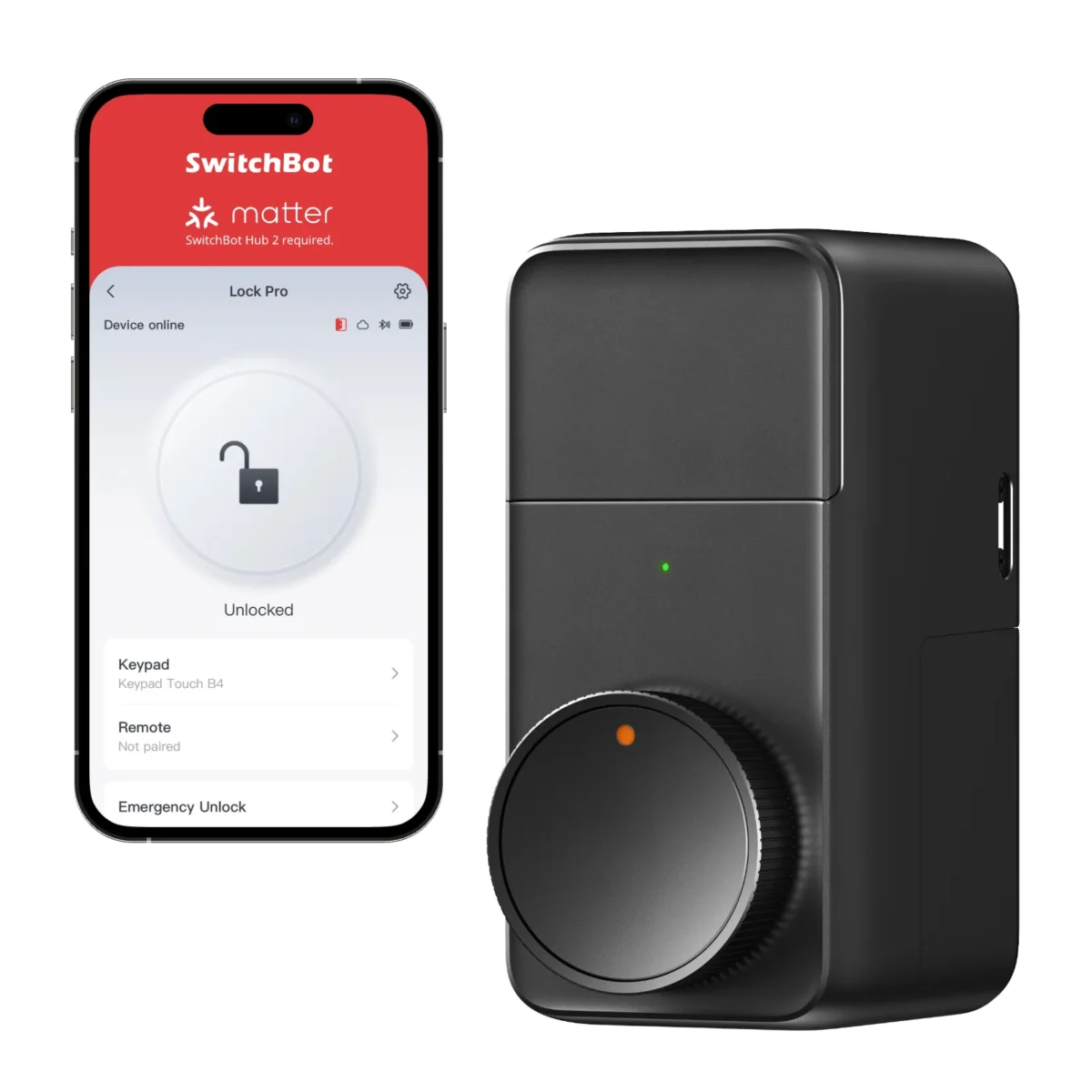
Fits Over Your Existing Deadbolt
No replacing the lock, no drilling, no rewiring. The Lock Pro clamps onto your current deadbolt from the inside. Installation took about 10 minutes with the included 3M adhesive and adapter.
App + Voice Control
Unlock via the SwitchBot app, Alexa, Google Assistant, or Apple Home (with Hub required for remote access). You can also set up NFC tags and share virtual keys with family members.
Auto-Lock Timer
Set a timer so the door locks itself after a set number of seconds. Set it to something like 30 seconds and you stop wondering if you locked the door on your way out.
9-Month Battery Life
Runs on two CR123A batteries. The app warns you when they’re running low, and even at critical levels there’s enough juice to unlock a few more times so you’re never locked out.
Pros & Cons
What We Liked
- 10-minute install with no tools or locksmith needed
- Auto-lock timer is genuinely useful daily
- Physical key still works as a backup
- 9-month battery life with low-battery warnings
Worth Knowing
- Requires SwitchBot Hub for remote access and voice control ($40 extra)
- Bulkier than expected, protrudes about 2 inches from the door
- Bluetooth-only range is limited to about 15-20 feet
| Installation | Clamp-on (no wiring, no drilling) |
| Connectivity | Bluetooth (WiFi via SwitchBot Hub) |
| Compatible Assistants | Alexa, Google, Apple Home (hub required) |
| Battery | 2x CR123A, ~9 months |
| Auto-Lock | Configurable timer (5-60 seconds) |
Common Questions
Will it work with my deadbolt?
What happens if the battery dies?
Final Verdict
The SwitchBot Lock Pro solves the biggest pain point of smart locks: installation. It clamps onto your existing deadbolt in minutes, keeps your physical key working, and adds auto-lock plus app control. At $120 (plus $40 for a hub if you want remote access), it’s one of the more practical smart home upgrades out there. If you rent or don’t want to replace your deadbolt, this is the way to go.
We may earn a commission if you buy through our links.