Mobile Pixels Duex Plus vs Duex Max: Which Portable Monitor Should You Buy?
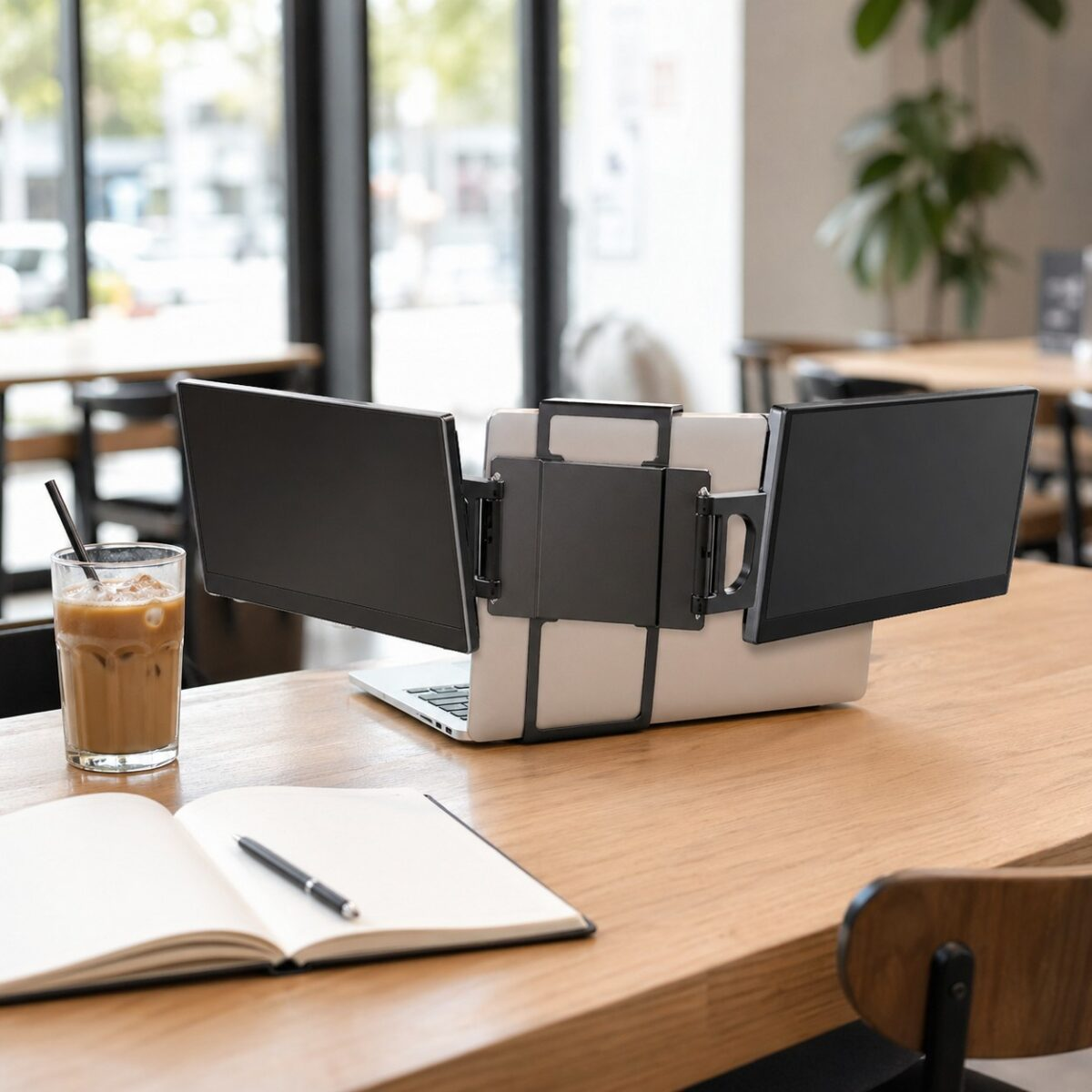
Mobile Pixels makes two of the most popular slide out portable monitors on Amazon. The Duex Plus and the Duex Max. They look almost identical until you look at the screen size. One is 13.3 inches, the other is 14.1. The price gap is bigger than the size gap suggests, and so is the use case difference.
Both clip onto the back of a 13 inch or a 16 inch laptop. Heres what actually matters when you pick between them.
Duex Plus
Duex Max
| Feature | Duex Plus | Duex Max |
|---|---|---|
| Screen size | 13.3 inch | 14.1 inch |
| Resolution | 1920 x 1080 | 1920 x 1080 (more pixel density on 14″) |
| Weight | 1.3 lbs | 1.7 lbs |
| Brightness | 300 nits | 300 nits, anti glare coating |
| Connection | USB C single cable | USB C single cable |
| Best laptop pairing | 13 to 15 inch laptops | 15 to 17 inch laptops |
| Tilt angle | Standard 180 degrees | 270 degree rotation |
| Travel friendly | Lighter to lug around | Bigger but still backpack sized |
| Price | $219 | $269 |
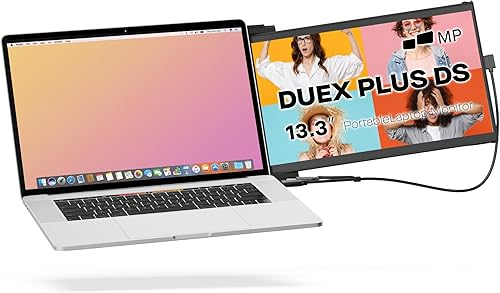
Duex Plus, Pros & Cons
What We Liked
- Lighter and easier to slap on a smaller laptop without messing up the balance.
- One USB C cable for power and display. No wall plug needed if your laptop has decent battery.
- $50 cheaper. Adds up if youre kitting out a remote setup.
- Magnetic mount holds firm. No droop after a long workday.
Worth Knowing
- 13.3 inches feels small if youre coming off a 16 inch desktop screen.
- Glossy finish picks up glare from overhead lights.
Duex Max, Pros & Cons
What We Liked
- 14.1 inches gives you noticeably more breathing room for spreadsheets, IDEs, or split browser views.
- Anti glare coating actually does its job. Way better in coffee shops.
- 270 degree rotation lets you flip it for presentations or tablet mode.
- Looks better proportioned next to a 15 or 16 inch laptop.
Worth Knowing
- 0.4 lbs heavier might not sound like much but you feel it in a backpack all day.
- Costs $50 more for what is effectively 0.8 inches of extra glass.
So Which One Should You Buy?
Get the Duex Plus unless your laptop is 16 inches or bigger.
The 13.3 inch screen is honestly enough for almost everyone. Email on one screen, spreadsheet on the other. Slack on one, Figma on the other. The Plus is lighter, cheaper, and the screen size matches a 13 to 15 inch laptop visually.
The Max is the right call if youre running a 16 inch MacBook Pro, a Razer Blade 17, or any chunky workstation laptop where the 13.3 inch Plus would look comically small bolted on. The anti glare coating is also a real upgrade if you work in bright spaces a lot.
Already Have a Single Portable Monitor?
If youre considering going beyond two screens, check out our review of the Mobile Pixels Triple Monitor setup which adds a second portable on the opposite side. We also broke down the full Duex Plus review and the Duex Max review separately if you want the deep dive on either one.
The Bottom Line
For most remote workers and travelers, the Duex Plus at $219 is the better buy. Its lighter, $50 cheaper, and the 13.3 inch screen matches typical laptop sizing. Spring for the Duex Max if you have a 16 inch laptop, you work in bright environments where anti glare matters, or you specifically need the rotation for presentations. Both are easily the best magnetic mount portables Mobile Pixels makes.
You might also like:
- Best Desk Setup Upgrades Under $50 for Remote Workers
- Anker 737 Power Bank Review: 140W Charging
- How to Choose a Portable Charger: 2026 Buyers Guide
Disclosure: Some links in this article are affiliate links. We may earn a commission at no extra cost to you.
As an Amazon Associate, we earn from qualifying purchases.