Mobile Pixels Geminos Review: A Stacked Dual-Monitor That Fixes the Desk-Space Problem
Key Features
Dual 24-inch IPS Stack
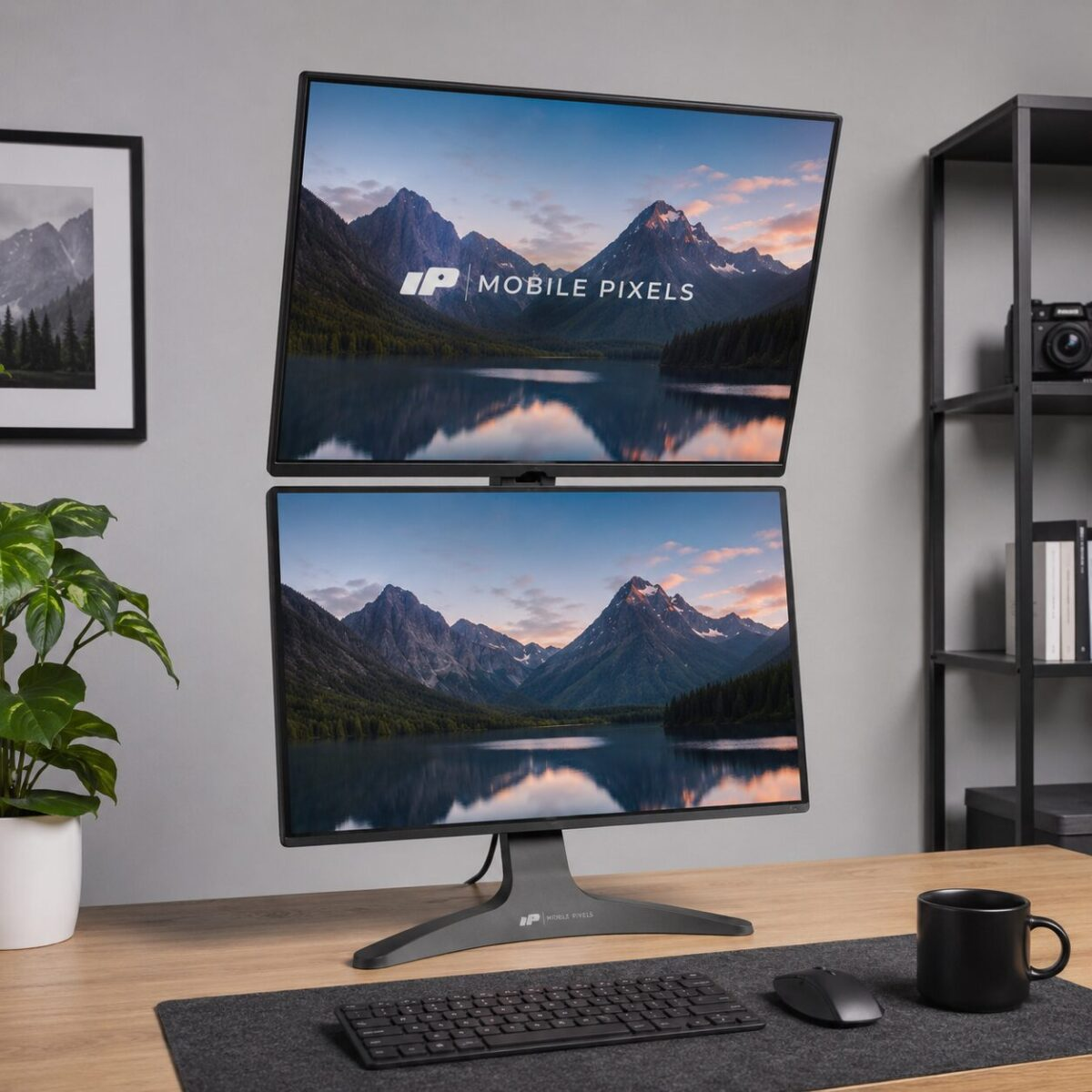
Two FHD 1080p panels stacked vertically on a single arm, giving the screen real estate of a triple-monitor setup in a footprint that fits any desk.
One Cable to Laptop
Single USB-C input handles power delivery, video, and data — including a built-in 1080p webcam, mic, and USB hub. Cuts cable clutter to almost nothing.
Ergonomic by Design
The lower screen tilts flat for reference docs while the upper sits at eye level. Reduces neck strain compared to side-by-side dual setups.
Built-in KVM Switch
Toggle between two computers with a single button. Useful for anyone juggling a work laptop and a personal machine on the same setup.
Pros & Cons
What We Liked
- Single-cable setup with full power delivery to laptop
- Stacked geometry beats side-by-side for desk space and neck angle
- Integrated webcam, mic, and USB hub remove accessories
- Built-in KVM toggle is a quiet productivity boost
Worth Knowing
- 1080p resolution will feel soft after a 4K monitor
- Premium price compared to two separate budget monitors
- Heavy enough that desk-mounting is a two-person job
Full Specifications
| Display Size | 2 x 24-inch IPS |
| Resolution | 1920 x 1080 per panel |
| Connectivity | USB-C (PD 65W), HDMI, USB-A x3 |
| Built-in Camera | 1080p webcam with mic |
| KVM | 2-port built-in |
| VESA Mount | Yes, 75 x 75mm per panel |
| Weight | 22.5 lbs |
Frequently Asked Questions
Does it work with a MacBook?
Can I use just one panel?
What’s the warranty?
Final Verdict
The Geminos isn’t trying to replace a 4K creator monitor. It’s trying to solve the desk-space-vs-screen-real-estate problem that hits anyone running a laptop plus a single external. The stacked layout actually fixes that, and the one-cable setup makes it a clean addition to a hot-desking workflow.
At $799 it’s a real investment, but it replaces a monitor, a webcam, a USB hub, and a KVM switch in one chassis. Math out the pieces and the price stops looking wild.
We may earn a commission if you buy through our links.
You might also like:
- Best Gadgets for Dog Owners in 2026: 5 That Earn Their Keep
- 5 Cooling Gadgets That Actually Work for Summer 2026
- Amazfit Up Open-Ear Earbuds Review: Workout Audio That Leaves Your Ears Open