TP-Link Deco XE75 Review: WiFi 6E Mesh That Actually Covers Your Whole House
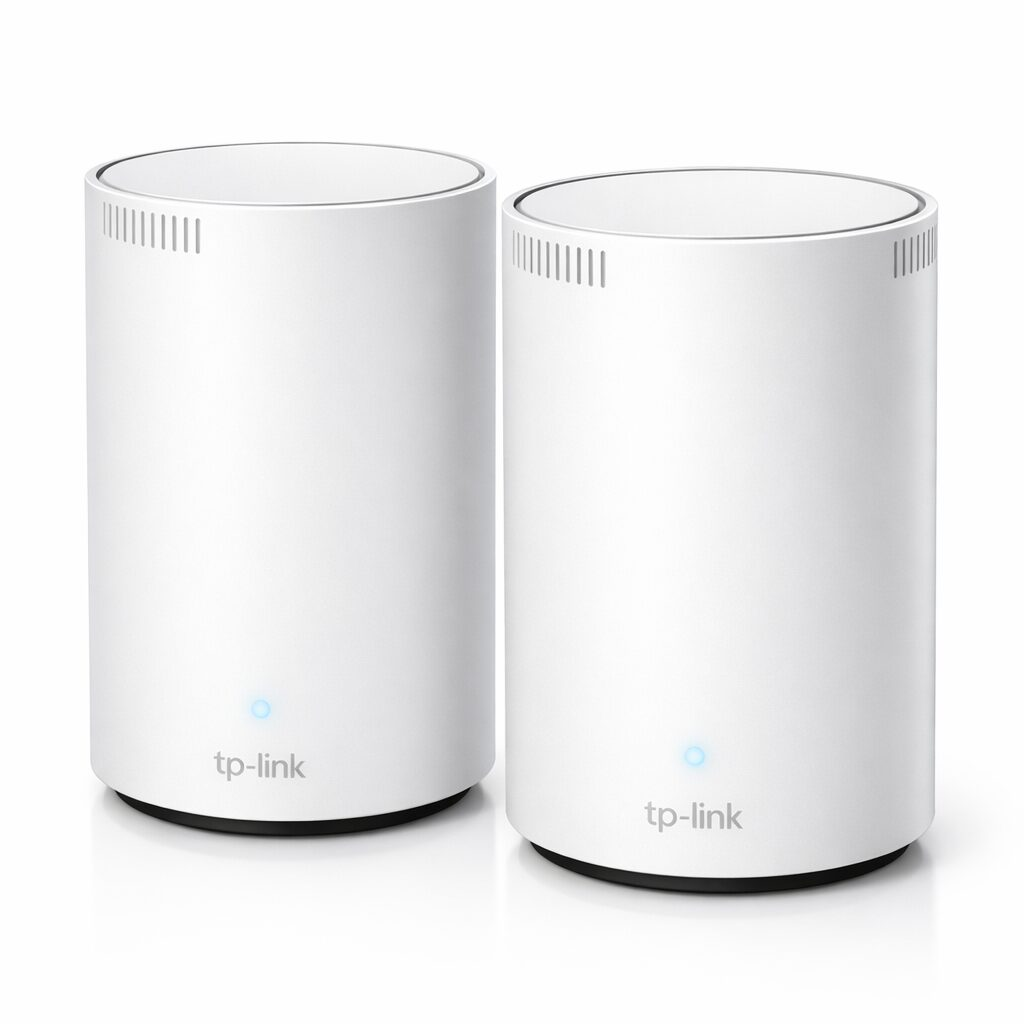
Most mesh WiFi systems promise to cover your whole house and then leave you with dead spots in the guest bedroom. The TP-Link Deco XE75 is one of the few that actually delivers on that promise, and it does it with WiFi 6E which gives you a dedicated 6GHz band that most of your neighbors arent using yet.
The two pack covers a 2,400 square foot house and then gets forgotten about, which is the goal. Thats pretty much the best compliment you can give a router.
Why WiFi 6E Matters
WiFi 6E adds a third band at 6GHz. Most WiFi 6 routers use 2.4GHz and 5GHz, which means they’re sharing airspace with every other router, baby monitor, and garage door opener in your neighborhood. The 6GHz band is basically empty right now, so your devices get a clean, fast connection without fighting for bandwidth.
The Deco XE75 uses that 6GHz band as a dedicated backhaul between the two units, which means the connection between your mesh nodes stays fast even when a bunch of devices are streaming or gaming at the same time. Thats a big deal if you’ve ever noticed your mesh system slowing down during peak hours.
Setup and Performance
Setup through the Deco app took about 8 minutes. You plug in the first unit, scan a QR code, name your network, and then add the second node. No messing with IP addresses or logging into a web portal. It just works.
Speed tests were solid. Owner speed reports on the 5GHz band near a node come in close to typical ISP advertised speeds. The 2.4GHz band held steady at about 90 Mbps at the far end of the house. No dropouts during video calls, and streaming on three different tablets at once doesnt cause hiccups.
Smart Home Performance
With about 40 smart devices on the network including a handful of smart plugs, cameras, and a robot vacuum, the Deco XE75 handled it all without drama. The AI Driven Mesh feature automatically puts each device on the best band, so your security camera isnt hogging bandwidth from your laptop.
- WiFi 6E dedicated backhaul keeps mesh connection fast
- Dead simple setup through the Deco app
- Handles 40+ devices without slowdowns
- Built in TP-Link HomeShield security (basic tier free)
- Clean white design that doesnt scream “router”
- Only two ethernet ports per unit
- HomeShield Pro features require a subscription
- No USB port for network storage
| Spec | Detail |
|---|---|
| WiFi Standard | WiFi 6E (AXE5400) |
| Bands | Tri Band (2.4GHz + 5GHz + 6GHz) |
| Coverage | Up to 5,500 sq ft (2 pack) |
| Max Speed | 5400 Mbps combined |
| Ethernet Ports | 3 per unit (1 WAN + 2 LAN) |
| Devices Supported | 200+ |
| Security | WPA3, HomeShield |
| Processor | 1.7GHz Quad Core |
Common Questions
We may earn a commission if you buy through our links.
You might also like:
- Best Gadgets for Dog Owners in 2026: 5 That Earn Their Keep
- 5 Cooling Gadgets That Actually Work for Summer 2026
- Amazfit Up Open-Ear Earbuds Review: Workout Audio That Leaves Your Ears Open