The Paperwhite is a fine little reading tablet. It’s also locked into Amazon’s bookstore, full of ads on the cheap version, and quietly tied to your account in ways that make people uncomfortable once they think about it.
If you’re ready to move on, the good news is the rest of the e-reader world has caught up. The 5 picks below all read EPUB out of the box (no kindle .azw shenanigans), most have warm front lights, and a couple of them do things Amazon won’t even try.
1
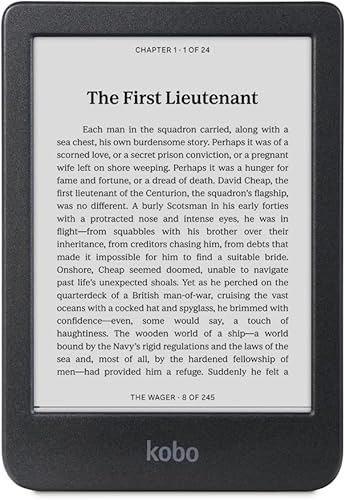
Kobo Clara BW
Best Overall Paperwhite Swap
4.5
(2,500+ ratings)
EPUB Native
No Ads, Ever
Library Lending
If you just want a Paperwhite that isn’t a Paperwhite, this is the answer. Same 6 inch glare-free screen, same warm front light, same waterproof rating, but you get Pocket integration, OverDrive library books built in, and EPUB support without any sideloading nonsense. Battery lasts weeks. Reads pretty much identical to a Paperwhite once your eyes adjust.
2
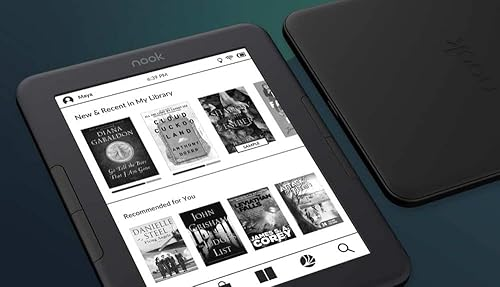
Barnes & Noble Nook GlowLight 4
Cheapest Alternative That Doesn’t Feel Cheap
4.4
(3,000+ ratings)
Physical Buttons
No Ads
Page Turn Buttons
$85 is the kicker here. You get physical page-turn buttons (something Amazon dropped years ago on cheaper Kindles), no lockscreen ads, and Barnes & Noble’s full bookstore. Build quality is plastic-y, the case feels a bit dated, and B&N’s store isn’t as deep as Amazon’s. But for under a hundred bucks? Solid.
3
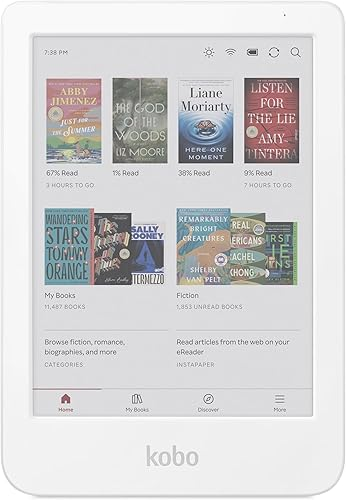
Kobo Clara Colour
Best for Color Comics, Cookbooks, and Magazines
4.7
(1,500+ ratings)
Color E-Ink
No Ads
Waterproof
Color e-ink is still a weird middle ground. The colors are muted, you’d never use this as a phone replacement, but for graphic novels, cookbook photos, or magazine layouts it kind of nails it. Amazon’s Colorsoft is similar tech, but Kobo gets to it for less money and without the bookstore lock-in. Battery still lasts a week-plus despite the color layer.
4
Onyx BOOX Go 6
Most Flexible, Android Under the Hood
4.4
(400+ ratings)
Sideload Apps
Kindle App Works
USB-C
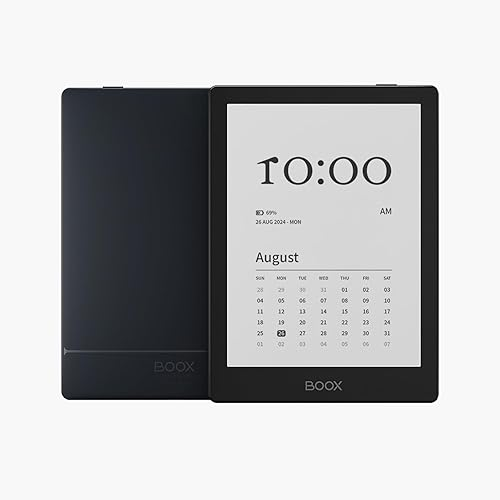
Here’s where things get interesting. This runs Android 13, so you can install the actual Kindle app, plus Libby, Kobo, Google Play Books, whatever you want. One reader, every bookstore. Price is high for a 6 inch e-reader and the software has a small learning curve, but if you switch between platforms or read library books constantly its the most flexible option in this list.
5
BOOX Palma 2 Pro
Pocketable Reader, Kind of Wild
3.5
(200+ ratings)
Phone-Sized
Goes in Pocket
Android
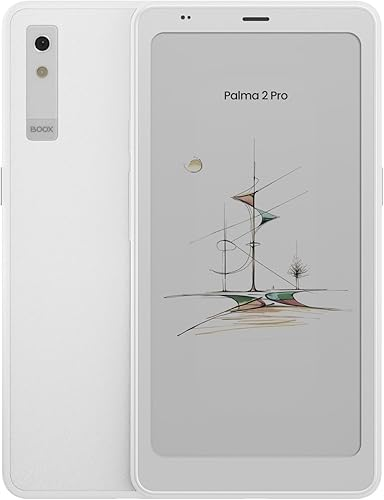
Looks like an old iPhone, reads like a Kindle, fits in any pocket. That’s the entire pitch and honestly it’s a strong one if you’re tired of pulling out a tablet on the train. The reviews are split, color mode is dim, and $399 is a real commitment, so dont buy this as your first e-reader. But as a phone-replacement bedtime reader, nothing else like it exists.
Which One Should You Actually Pick
If you just want a Paperwhite that isn’t a Paperwhite, the Kobo Clara BW is the move. Same form factor, same screen, similar price, but without the Amazon account leash and lockscreen ads. The Nook is the budget shortcut if $85 sounds better than $159. Color e-ink is fun but still niche.
The BOOX models are for people who want to do more than just read. If that’s not you, save yourself the $100 or so and grab a Kobo. And if you read on the go a lot, the Palma 2 Pro is genuinely unlike anything else.
Frequently Asked Questions
Can I read my Kindle books on a non-Kindle e-reader?
On the BOOX Go 6 and Palma 2 Pro, yes, install the Kindle Android app and your library shows up like normal. On Kobo and Nook, no direct Kindle support, but you can convert non-DRM Kindle books to EPUB with Calibre, which works for most of your library.
Which one has the best battery life?
Kobo Clara BW and Nook GlowLight 4 will go a couple of weeks easily on a charge. Color e-readers and the Android BOOX models burn through battery faster, maybe a week of average use. Still way better than a tablet.
Do any of these support library books?
Kobo has built-in OverDrive integration, which is the cleanest setup. The BOOX models can run Libby through the Android app. Nook supports library lending but it’s clunkier. The Palma 2 Pro handles it best of the BOOX lineup since it’s basically a phone.
Are these worth it over just keeping my Kindle?
If your Kindle works fine and you live inside Amazon’s bookstore, probably not. The case for switching is open formats, library books without sideloading, no ads, or a use case Kindle doesn’t cover, like Android apps or a pocket-sized reader. Otherwise, your existing Kindle is fine.
Related Reads
As an Amazon Associate, we earn from qualifying purchases.